 WorkRoll
How to Lock a Photo Album on iPhone: Built-In Options vs Apps
To lock a photo album on iPhone, start with the built-in Hidden album for occasional private photos. It uses device authentication, not a separate album password. For separate work albums, WorkRoll adds album passwords and a Face ID app lock. Its passwords control in-app access; they are not forensic encryption.
What are you trying to keep private?
There are three different jobs: keeping photos out of casual browsing, blocking someone who knows your iPhone passcode, and protecting files against extraction. A lock icon alone does not tell you which job a feature does. Choose based on who might see the photos, not how hidden the app looks.
If you only need to stop work pictures appearing among family pictures, start with separating work photos from personal photos on iPhone. Organization and access control are different decisions. You can need separate albums without needing passwords.
| Option | Useful for | Important limit |
|---|---|---|
| Photos: Hidden album | Occasional photos and videos kept out of the main library view | Uses Face ID, Touch ID, or device passcode; no separate password for each project |
| iPhone app lock | Requiring authentication before opening an app | Protects an app, not different albums inside it; passcode is an authentication option |
| Locked Notes | A small set of still images with written context | Attachment restrictions; choose a custom Notes password if you need a separate secret |
| WorkRoll | Work photo and video albums with separate passwords | In-app access control, not forensic encryption; forgotten passwords cannot be recovered |
How does the built-in Hidden album work?
Apple documents that Hidden and Recently Deleted are locked by default. You can unlock them with Face ID, Touch ID, or your passcode. This helps when you hand an unlocked phone to someone, but it is not a separate secret from someone who knows that passcode.
- Open Photos and find the photo or video.
- Touch and hold it, choose Hide, then confirm.
- Find Hidden under Utilities when you need it, then authenticate to view the album.
- For an additional visibility change, turn off Show Hidden Album in the Photos settings.
Apple's Hidden album instructions explain that hidden items disappear from the library, other albums, and the Photos widget. Hiding the album itself does not create another password. With iCloud Photos enabled, hidden status also carries across your devices.
Recently Deleted is not a private filing cabinet. Apple keeps deleted items there for 30 days before permanent deletion. Use Hidden for things you intend to keep; do not delete a client record merely to conceal it.
Can you lock or hide the whole Photos app?
On supported iOS versions, Apple's app locking instructions use the app icon's Require Face ID, Require Touch ID, or Require Passcode command. Touch and hold an eligible app, choose the command, and confirm. This creates an app-level gate rather than a password for an ordinary photo album.
Locking and hiding are separate options. Preinstalled apps cannot be hidden; only eligible apps downloaded separately can be hidden. Do not expect the built-in Photos app to disappear into the Hidden apps folder. Apple also says an app's locked or hidden status applies only to that iPhone, not your other devices.
Because the documented lock allows a device passcode, do not treat it as independent protection from a person who already knows yours. Do not share your passcode as a substitute for sharing selected photos. If another person needs files, send only those files instead of handing over unrestricted access.
When are locked Notes a reasonable alternative?
For a few still photos with text, a locked note can be enough. Add the images to a suitable note, open its More menu, choose Lock, and follow the password choices. Then use the lock icon to hide its contents. Copying a picture into Notes does not remove its original from Photos.
Apple's locked Notes guide distinguishes the device passcode from a custom Notes password. Choosing the device passcode does not create a separate secret. A custom password does, but resetting a forgotten Notes password will not unlock previously protected notes.
Notes is not a general video vault. Apple excludes notes containing videos, PDFs, audio, tags, and several document types from locking. Shared notes and notes synced through services such as Gmail also have restrictions. For daily photo-and-video project records, an album workflow avoids forcing every item into a note.
What does WorkRoll add, and what does it not protect?
WorkRoll keeps work photos and videos in App Albums, separate from System Albums. An album password restricts access inside WorkRoll. Different passwords correspond to separate media groups, rather than multiple keys that all open the same collection. This is not a team account or a shared workspace.
The Face ID App Lock protects entry to the app. The background privacy mask covers the app's background preview. Album passwords address another layer: which group of media you can view inside an album. A mask is not a lock on exported files, and neither feature retracts a picture you already sent elsewhere.
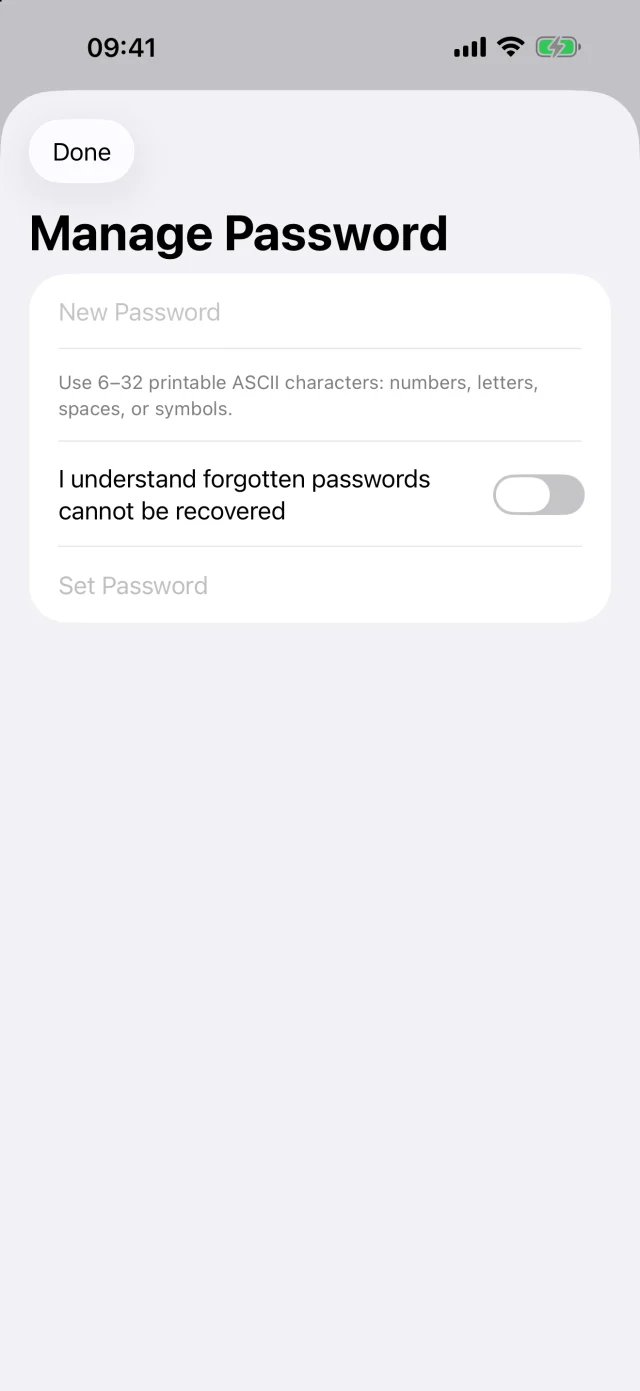
The free version includes unlimited albums, up to 30 photo or video items per album, one password per album, and App Lock. Pro is a one-time purchase with no subscription. It adds unlimited items per album, multiple passwords per album, and alternate icons. More passwords do not change the encryption boundary.
What should you check before relying on a locked album?
- Check the original. Importing into a protected album does not itself remove the source from Photos. Review both copies before deciding what to delete.
- Check the destination. Choose an App Album before taking work photos or videos if you want them separate from the system library.
- Keep passwords safely. Use a password you can retrieve securely; do not store it in the album it unlocks.
- Protect exported copies. A folder in cloud storage or on a NAS follows that destination's access permissions, not the WorkRoll album password.
- Keep a backup. Use the work photo export and backup checklist before removing the app or changing devices.
If you delete source items after import, iOS asks for confirmation and sends them to Recently Deleted. With iCloud Photos, deletion also affects synced devices. Apple's deletion guide explains the recovery window. Do not empty it until you have checked the copy you intend to keep.
Temporary material needs a separate decision. Read how photo retention days work before enabling expiry. Locking an album does not make its contents exempt from the retention rule you choose.
Frequently asked questions
Can every ordinary iPhone photo album have its own password?
The built-in options described here protect Hidden, Recently Deleted, or an entire app. They do not provide a separate project password for each ordinary Photos album. WorkRoll offers passwords for its own in-app albums, not for system albums.
Will restoring purchases recover my locked photos?
No. Restoring purchases restores eligible purchase access, not media. Deleting WorkRoll deletes its in-app media. Keep a verified export, and consider the optional device backup setting before you need recovery.
Does hiding photos remove them from iCloud Photos?
No. Apple's Hidden album documentation says hidden status follows your devices when you use iCloud Photos. WorkRoll in-app media does not sync to iCloud Photos, but copying media back to Photos places that copy under your system settings.
Keep work albums separate, with clear limits
Try WorkRoll for iPhone. Use album passwords for in-app privacy, and keep an independent backup of important records.